
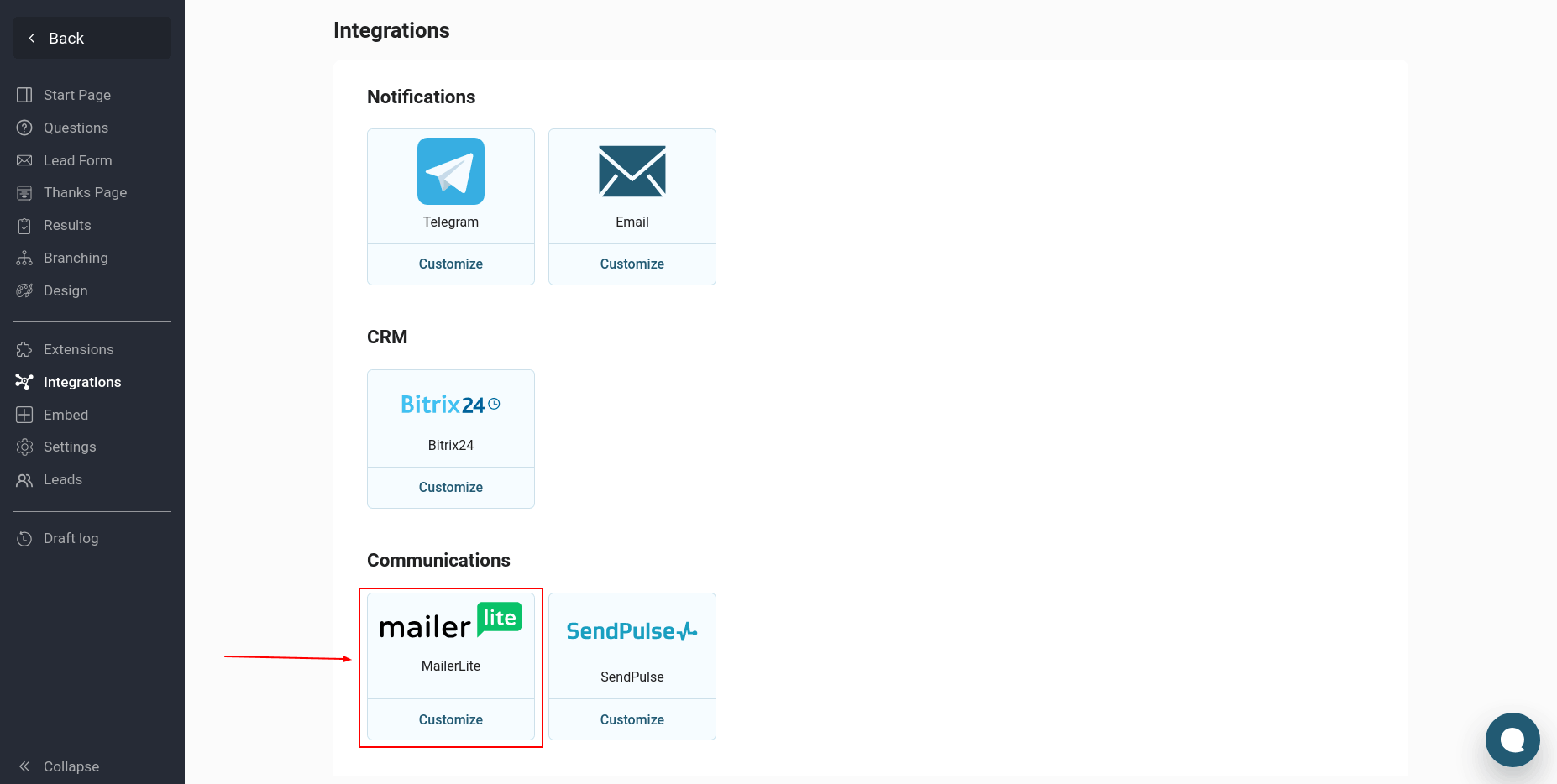
To configure a quiz integration with MailerLite, go to the "Integrations" section of the desired quiz and edit it. Find the "MailerLite" module in the list of integrations and click the "Customize" button:
If you are setting up integration with MailerLite for the first time, you will need to create a new connection:
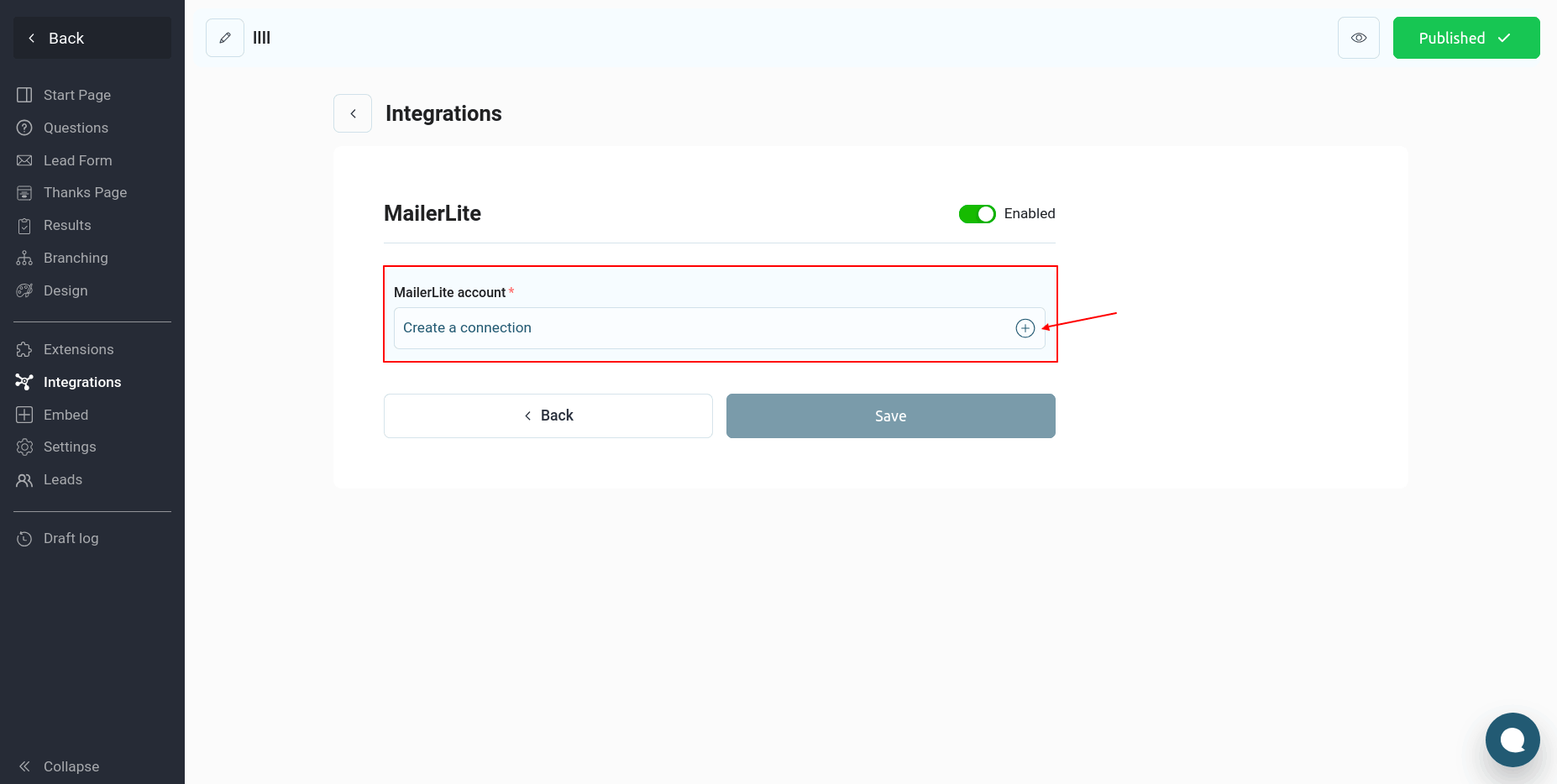
Click the "Create a connection" button:
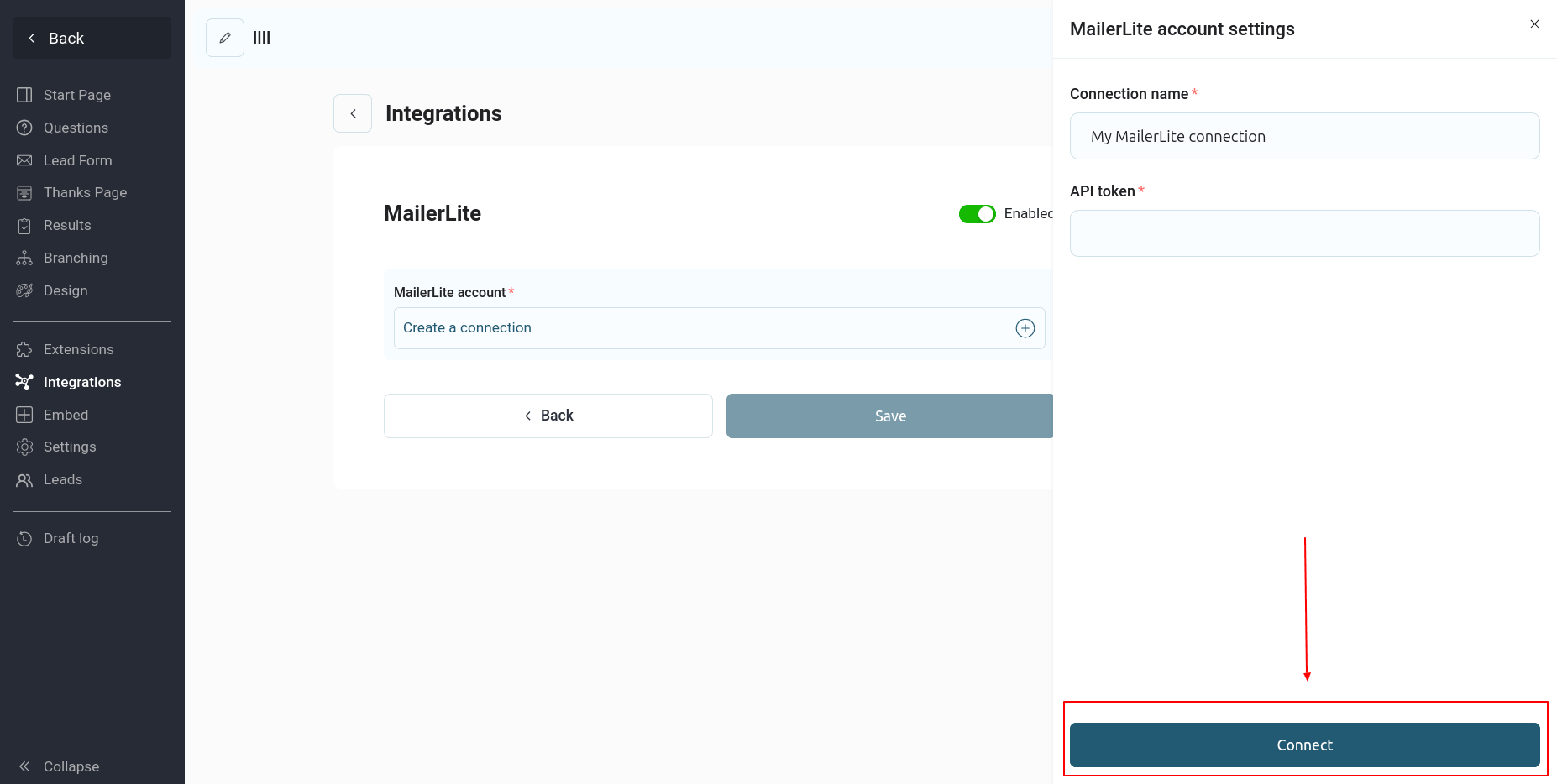
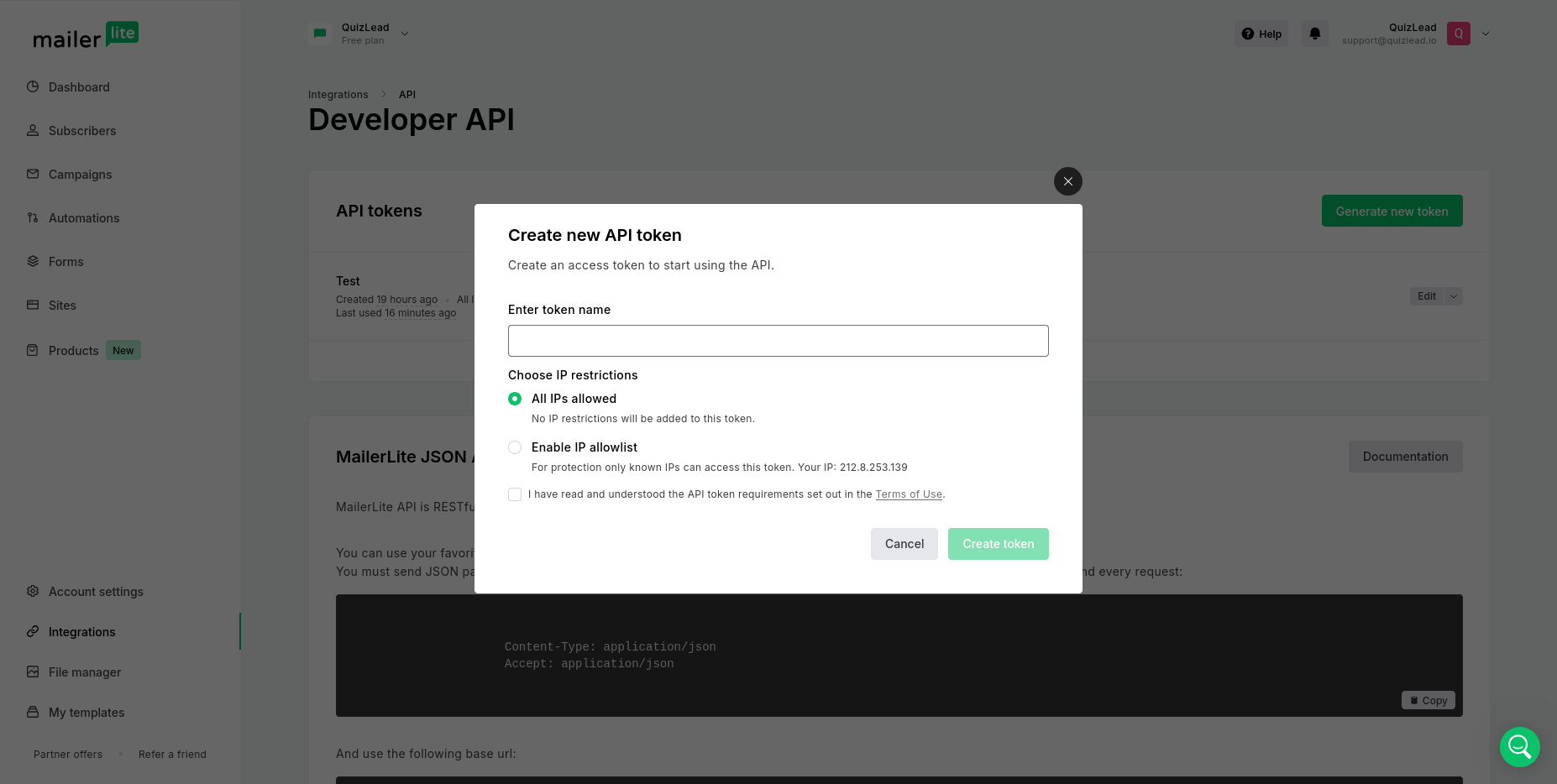
Here you need to enter your API token. You can find these values in your MailerLite account under "Integrations" -> "API":
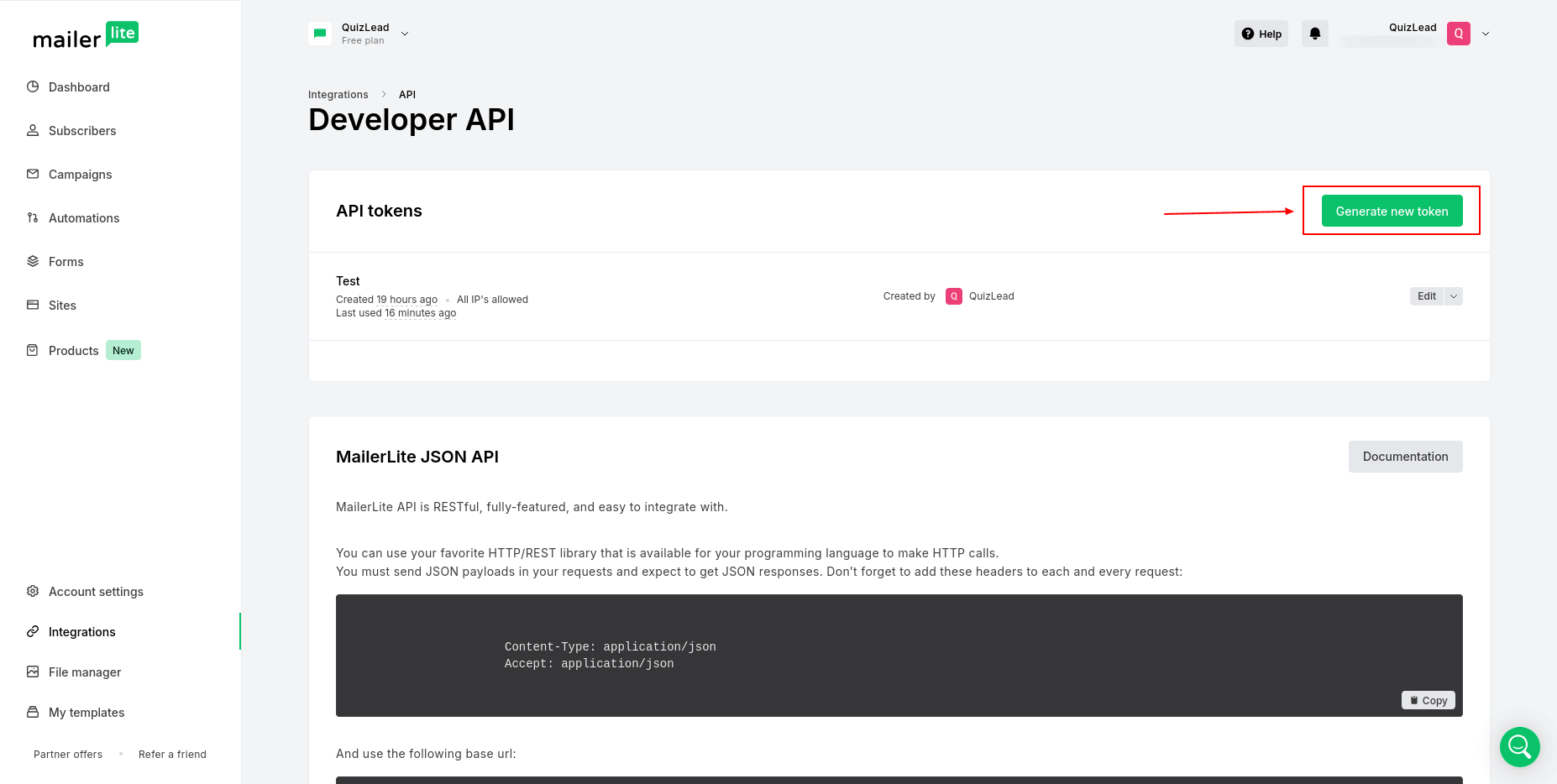
Click the "Generate new token" button, enter a name, and then click "Create token":
Copy the value of the generated API token:
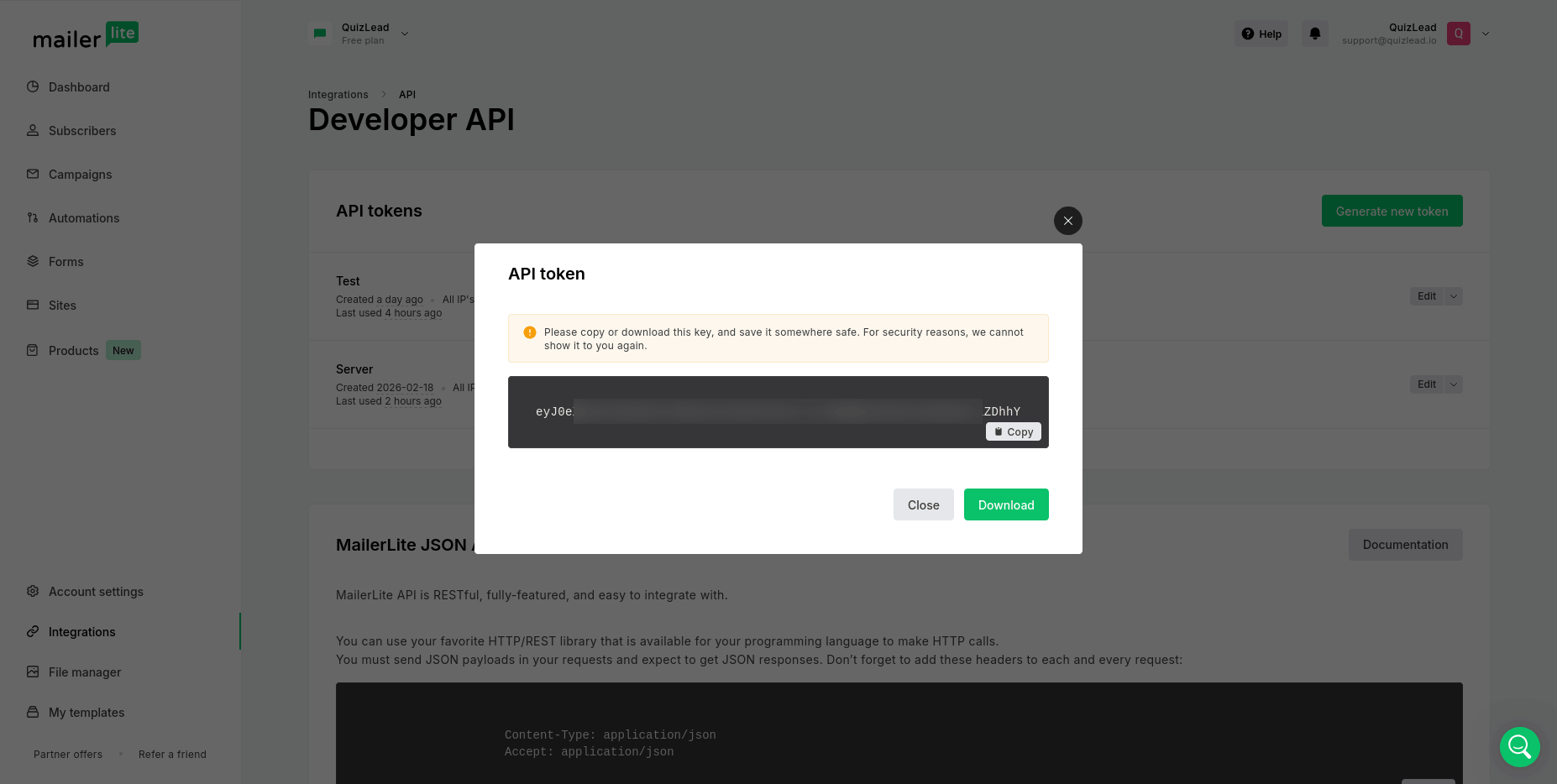
Enter it in the MailerLite integration settings and click the "Connect" button.
If the data is correct, you will see a page like this:

Select a group to which contacts will be added after completing the quiz.
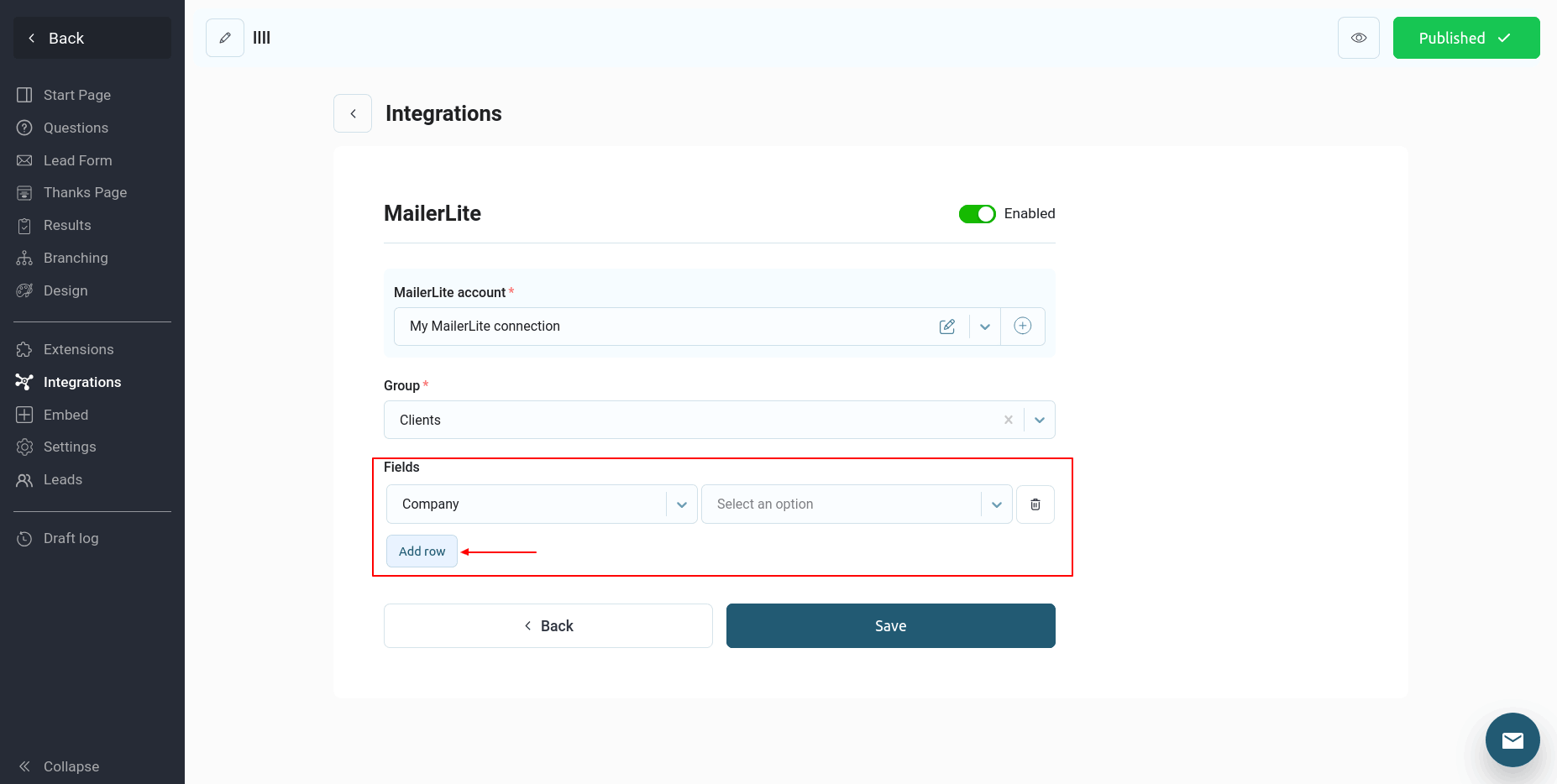
If you have custom fields in your mailing list, you can also configure how this data is transmitted. To do this, click the "Add row" button:
If you are setting up integration with MailerLite for the first time, you will need to create a new connection:
Click the "Create a connection" button:
Here you need to enter your API token. You can find these values in your MailerLite account under "Integrations" -> "API":
Click the "Generate new token" button, enter a name, and then click "Create token":
Copy the value of the generated API token:
Enter it in the MailerLite integration settings and click the "Connect" button.
If the data is correct, you will see a page like this:
Select a group to which contacts will be added after completing the quiz.
If you have custom fields in your mailing list, you can also configure how this data is transmitted. To do this, click the "Add row" button:
On the left side of the list, you'll see all the available fields from your mailing list, and on the right side, you'll see a list of data from the quiz.
Configure all the required information and click "Save." This completes the quiz integration with MailerLite.
Now, every time a quiz is completed, the data from the quiz contact form will be transferred to the specified MailerLite mailing list.